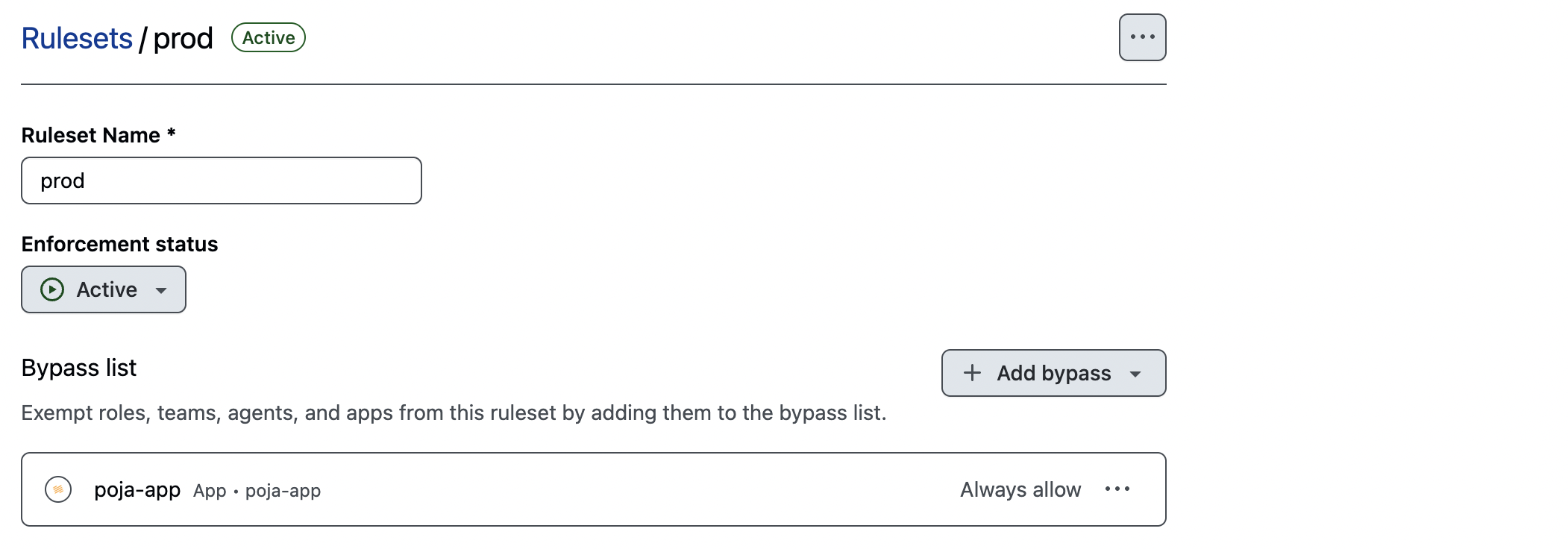
This issue occurs when GitHub branch protection rules prevent Poja from pushing directly to your prod or preprod branches.
The bug
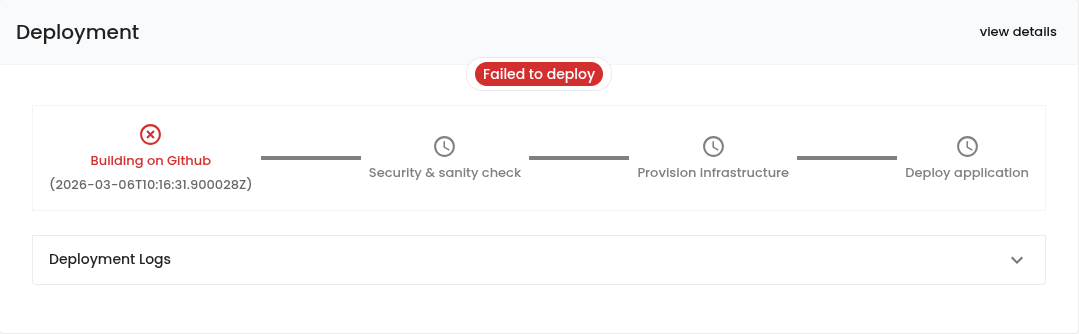
After updating the configuration of your Environment, your deployment unexpectedly fails on the Building on Github step without any visible change nor any new deployment workflow triggered on the GitHub side.
For example, after activating the File Storage capabilities of Poja, it should generate the BucketComponent class that allows you to upload and download files to/from a cloud bucket.
However, you notice that no changes have been pushed to your GitHub repository, the CD Compute workflow has not been triggered, and your deployment fails on the Building on Github step.
The solution
Poja needs direct push access to the prod and preprod branches of your GitHub repository. If you have set up a branch protection rule on either of those branches, you have to include the poja-app GitHub App in the bypass list to grant it the necessary permissions.
Follow the instructions below depending on your protection rule type:
For classic protection rules: go to Settings > Branches > Edit your existing protection rule > Allow specified actors to bypass required pull requests, then select
poja-appFor rulesets: go to Settings > Rules > Edit your ruleset, then add the
poja-appGitHub App to the Bypass list
Note
The
Allow specified actors to bypass required pull requestsoption is only available for repositories inside an organization. For personal repositories, you have to convert your branch protection rule into a ruleset first.